
Key Details of
File Converter
File Converter (JPG, PNG, PDF to Word & Excel)
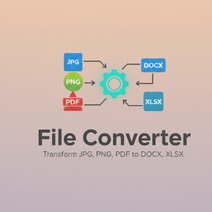
File Converter is a free, easy-to-use online tool that lets you convert popular file types — such as images and PDFs — into editable Word and Excel documents. With a few clicks, you can transform files like JPG, PNG, and PDF into DOCX or XLSX formats for editing, sharing, and professional use.
What This Tool Does
This file converter helps you seamlessly convert:
✔ Image formats (JPG, PNG, etc.)
✔ PDF files
👉 Into Microsoft Word (.docx) or Excel (.xlsx) documents.
It’s ideal for turning scanned documents, photos of text, or stored PDFs into editable files ready for work, school, or digital archiving. Online converters use technologies that analyze and transform your file’s content into formats you can edit easily. imgconverter.cloud+1
How It Works (Simple Process)
Upload your file — choose the JPG, PNG, or PDF you want to convert.
Select your desired output format — Word (DOCX) or Excel (XLSX).
Convert & download — in seconds, your converted file is ready for download.
This process is designed for fast, browser-based conversion, so you don’t need to install software. howtoconvert.app
Fast & User-Friendly
No software installation required — works directly in your web browser.
Instant results — most files convert in seconds.
Easy to use — drag & drop or upload with a click.
Supports multiple formats — images and PDFs to Word/Excel and more. fileconvert.co.in
Security & Privacy
Files are processed securely and not permanently stored after conversion.
You can convert documents without creating an account or signing in.
The service is free and accessible from any modern device — smartphone, tablet, or computer. fileconvert.co.in
Who This Tool Is For
This file converter is perfect for:
Students converting scanned notes or images to editable documents
Professionals needing quick conversion from PDF to Excel or Word
Writers & editors preparing digital files for revision
Anyone who wants simple online conversion without complicated software
Benefits of Using the Converter
✔ Makes documents editable and easy to update
✔ Helps extract text from photos and scanned PDFs
✔ Great for preparing documents in standard formats used in business and education
✔ Works on all devices with an internet connection
- Connect with Us: Follow us on social media for updates, tips, and behind-the-scenes content:
- 🌐 Visit My Website: https://ayogoeeth.com
- 🌐 Visit My Website: https://johar.christianessentials.in/
- 🌐 Visit My Website: https://shop.ayogoeeth.com
- 🌐 Visit My Website: https://sarkarijob2024.ayogoeeth.com
- 🌐 Visit My Website: https://church.christianessentials.in/
- 🌐 Visit My Website: https://christianessentials.in/
- Medium: https://medium.com/@agmmmbsnlwb
- Pinterest: https://in.pinterest.com/agmmmbsnlwb/
- Twitter: https://twitter.com/SantoshSor87185
- Facebook: https://www.facebook.com/santosh.soreng.771
Developer Description
File Converter is a browser-based utility designed to convert images and PDF documents into fully editable Microsoft Word (.docx) and Excel (.xlsx) formats. It focuses on simplicity, performance, and privacy while delivering accurate and fast conversions without the need for software installation.
Architecture & Technology Stack
Hosted on Hostinger Horizon — secure and scalable cloud deployment with HTTPS encryption.
Frontend: Built using HTML5, CSS3, and JavaScript for responsive client-side interaction.
Conversion Engine: Utilizes JavaScript libraries and/or serverless backend functions (depending on integration) to process document structure and content.
Supports asynchronous file uploads and real-time conversion for a smooth user experience.
Core Functional Components
File Upload Module
Accepts image formats (JPG, PNG) and PDF files.
Validates formats and file size before processing.
Provides file previews and metadata (optional).
Conversion Logic
Image-to-Text and Document Extraction:
Uses optical character recognition (OCR) to read text from images.PDF Parsing:
Extracts text, tables, and layout components from PDF pages.Output Assembly:
Structures extracted content into Word (.docx) or Excel (.xlsx) formats.
Download & Delivery
After conversion, users receive a direct download link.
Converts and delivers results in the client’s browser without storing files permanently on the server.
Conversion Workflow
User Uploads File:
Supported formats: JPG, PNG, PDFFile Processing Begins:
OCR for images
Text & structure parsing for PDFs
Converted Output Prepared:
Word format for text-rich files
Excel format for table-centric files
Result Delivered:
Download link appears
Conversion completed in seconds
User Interface (UI) & Experience
Clean, intuitive interface with minimal learning curve.
Supports drag-and-drop file upload and manual file selection.
Displays conversion status and progress indicators.
Responsive design ensures usability on phones, tablets, and desktops.
Security & Privacy
Files are processed securely over HTTPS connections.
Uploaded files are not stored long-term and are removed after conversion.
No user accounts or authentication are required.
A privacy-focused design ensures personal data is protected and not logged.
Performance & Optimization
Conversion logic is optimized for speed and accuracy.
Uses lightweight algorithms that run efficiently in the browser or via secure web functions.
Lazy loading of script assets ensures the app loads quickly, even on slower connections.
Extensibility & Integration
The tool is designed to be modular and extensible:
Easy to embed inside other web pages or portals (e.g., ayogoeeth.com).
Can be converted into a Progressive Web App (PWA) for offline use.
Future extension points include:
Additional output formats (e.g., TXT, RTF, CSV)
Batch conversions
User interface enhancements like dark/light theme
Developer Notes
The converter uses a combination of client-side processing and lightweight server logic (as permitted by Hostinger).
All conversion tasks prioritize speed, responsiveness, and user privacy.
Designed to be easily maintained and updated with new formats or performance enhancements.
Future Roadmap
Planned enhancements may include:
Amendable output formatting controls (font size, text alignment)
Cloud storage export options (Google Drive, Dropbox)
Multi-language OCR support
Drag-and-drop library improvements